How to Read a Dota 2 Patch
How Dota 2 patch notes work: major patches versus letter patches, what rescaled and reworked mean, how to judge a nerf or a buff, and where to check builds.
· Patch 7.41
This page was checked against patch 7.41 and the current patch is 7.41f. The explanation still holds, but any number on it may have moved.

A Dota 2 patch is a list of changes to heroes, items, the map and the systems, published by Valve with a version number. Reading one well takes ten minutes and saves the first ten matches after it, because the players who read it know which heroes got stronger, which items changed and which habits stopped working. This guide explains the patch numbering, the vocabulary of the notes, how to judge whether a change matters, and where to look afterwards. The patch pages on this site render the full notes for every patch since 7.00, with the changed heroes and items shown as portrait and icon grids.
- Numbered patches change the game; letter patches correct numbers. Both matter, but read them differently.
- A change matters if it touches the ability, the item or the phase of the match where the hero gets its power.
- Never trust a headline "buffed" or "nerfed". Read the lines and count the levels.
- After a patch, check the hero page on this site: the numbers are updated from the data, and the written advice carries the patch it was checked against.
The numbering
Patch names have a major number, a minor number and sometimes a letter. The major number changes rarely and marks a large redesign. The minor number, such as the 41 in 7.41, changes every few months and brings a general update: map changes, new or reworked items, systems added or removed, and changes to many heroes. The letter patches, such as 7.41b, arrive within weeks and adjust a short list of heroes and items whose numbers turned out wrong.
| Patch | Date | Hero changes | Item changes |
|---|---|---|---|
| 7.41f | Sep 15, 2026 | 80 | 20 |
| 7.41e | Jul 30, 2026 | 110 | 39 |
| 7.41d | Jun 4, 2026 | 180 | 20 |
| 7.41c | May 6, 2026 | 178 | 19 |
| 7.41b | Apr 7, 2026 | 143 | 35 |
| 7.41a | Mar 27, 2026 | 83 | 4 |
| 7.41 | Mar 24, 2026 | 1,259 | 379 |
| 7.40c | — | 91 | 3 |
| 7.40b | — | 181 | 4 |
| 7.40 | Dec 16, 2025 | 709 | 182 |
| 7.39e | — | 85 | 15 |
| 7.39d | — | 79 | 26 |
| 7.39c | — | 82 | 15 |
| 7.39b | — | 62 | 10 |
| 7.39 | May 22, 2025 | 562 | 161 |
| 7.38c | — | 131 | 34 |
| 7.38b | — | 97 | 45 |
| 7.38 | Feb 19, 2025 | 1,234 | 239 |
| 7.37e | — | 110 | 2 |
| 7.37d | — | 121 | 27 |
The 20 most recent patches with published notes.
The general section of a numbered patch is the part to read first, because it changes rules rather than numbers. The 7.41 general notes removed facets, reshuffled the shop and moved where the side-lane creeps meet. Any one of those changes how every match starts. Facets (removed in 7.41) keeps the history of the removed system for readers who arrive from older guides.
What each section contains
A numbered patch has four parts in a fixed order: general changes, item changes, neutral item changes and hero changes. General changes cover the map, the economy, the runes, Roshan, the Tormentor and the systems such as talents and innates. Item changes list each item alphabetically with its changed lines. Neutral item changes cover the Artifacts and Enchantments by tier. Hero changes list each hero alphabetically, then each ability under the hero, then the talents.
Within a hero's section, the lines are grouped by ability. A line under the hero's name and above any ability is a base-stat change: attack damage, armor, movement speed, attribute gain. Those look small and are not. A movement-speed change or an attribute-gain change touches every minute of every match, while an ultimate change touches a few seconds of it. Talents and Innate abilities explain the two systems whose lines appear at the bottom of most hero sections.
The vocabulary
Patch notes use a small set of verbs, and each has a precise meaning.
- Increased / reduced is a plain number change on one ability level or on every level. Check whether the line names a single level or lists all four.
- Rescaled means the values across levels changed shape. A rescale from a flat line to a rising one is a nerf at level 1 and a buff at level 4. That helps heroes who level the ability late and hurts heroes who level it first.
- Reworked means the ability does something different now. Read the whole new description on the hero page; the old build for that hero is gone.
- Replaced means an ability or talent was removed and a new one put in its slot. Treat it as a rework.
- Now / no longer marks a rule change: "now pierces Debuff Immunity", "no longer affects buildings". These are the lines that change how a fight works, and Aghanim's Scepter and Aghanim's Shard and the status pages carry the rules they change.
- Aghanim's Scepter / Shard lines change the upgrade only. A hero whose scepter changed is unchanged for anyone who does not buy it.
- Talent lines swap or change one of the eight talents. A talent moved from level 25 to level 20 is a buff, because the hero reaches it earlier.

An  Aghanim's Scepter or
 Aghanim's Shard change is the most common way a patch makes a hero relevant again without touching its base kit. Read those lines with the hero page open, because the upgrade's full text on the page tells you what the change does in practice.
Judging a change
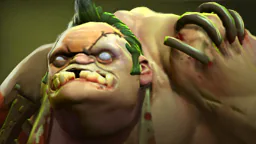
Whether a change matters depends on three questions. First, does the change touch the ability the hero uses most? A small change to  Pudge's hook matters more than a large change to an ability he levels last. Second, does it touch the phase of the match where the hero gets its power? A laning-phase nerf hurts a lane-dominant hero and barely touches a late-game carry like
 Anti-Mage. Third, does it change a rule or a number? Rule changes, the "now / no longer" lines, change how the hero is played; number changes change how well the same play works.
A hero with many small changes is usually being reworked in stages, and a hero with one large change is being corrected. Count the lines. Three nerfs to different abilities on a widely picked hero is Valve saying the hero was too strong overall. One nerf to a single ability is Valve saying that one interaction was too strong. A hero like  Invoker receives more lines than most because he has more abilities, so the count means less for him.
The changes that affect everyone are the general and item ones, and those are the ones beginners skip. A change to  Black King Bar changes every match, because every carry buys it. A change to
 Blink Dagger changes every initiator's timing. A change to the neutral item tiers or Madstone costs, covered on Neutral items and Madstones, changes what every player crafts. A change to rune timings on Runes or Roshan's pits on Roshan changes the map. Read those before the hero section, even if your hero is on the list.
The meta and the first week
The Meta is the set of heroes and strategies that win most on the current patch, and it takes a week or two to settle after a numbered patch. In the first days, players try the heroes with the most buff lines, and many of those turn out weaker than the notes suggested. Two weeks in, the win rates on the hero pages and the pick rates on the position hubs show what settled. The tier-list methodology guide explains why this site shows those numbers per hero rather than publishing a ranked list.

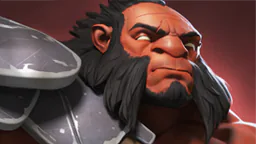
Read the patch the day it arrives, play your comfort heroes for the first few matches, and change heroes only when the data has caught up. A hero like  Crystal Maiden or
 Axe changes little between patches and is the safe choice while the meta settles. The Timing of your usual items may shift a little if their costs changed; the builds page shows it.
Where to look after a patch
On this site, every patch has a page with the full notes, the changed heroes as a portrait grid and the changed items as an icon grid. Each hero page shows its patch history, and each item page shows its cost and stats from the current data. The written advice on every page carries the patch it was checked against in the footer, and a page whose numbers have moved on ahead of the text shows a banner saying so.
Three tools help after a patch. The hero comparison tool puts two heroes side by side to see whether a base-stat change moved one past the other. The stat calculator shows a hero's stats at any level on the new numbers, which is how to judge an attribute-gain change. The counter picker reads the refreshed matchup data once the first week of games is in. The returning player guide covers every system change since 7.33 for players who missed several patches at once, and the itemization guide explains how to rebuild an item plan when an item changed. MMR, ranks and medals notes when a patch resets or recalibrates ranks, which happens a few times a year. Game modes notes when a mode changed. Hero complexity and roles is worth a look when Valve changes a hero's listed roles, which the notes do not always mention. A Power spike that moved, an Ultimate that was reworked or a new Talent is the kind of change to read twice. A changed Neutral item tier is the kind to read with the crafting menu open.
Practice this

- Open the latest patch page on this site and read the general section before anything else.
- Find your main hero. Count the lines and sort them into number changes and rule changes.
- For each rescaled ability, read all four levels and decide which level you use most.
- Check the two items you buy every match for changes.
- Play three matches on the same hero before you decide whether the change mattered.
- Two weeks later, open the hero's page and compare its win rate with the number you remember.
Next reads

- Returning to Dota 2 in 7.41 — every system change since 7.33 in one place.
- Itemization basics — how to rebuild an item plan when an item changed.
- How we rate heroes — win rate, pick rate and sample size, and why the site shows them per hero.
- Drafting and counter-picking — how a patch changes who counters whom, and how to use the picker.
- The complete beginner's guide and the HUD explained — the basics the notes assume you know.
Heroes this affects
Items this affects
Common questions
What is the difference between 7.41 and 7.41b?
A numbered patch such as 7.41 changes the game: map, items, systems, many heroes. A letter patch such as 7.41b adjusts numbers on a few heroes and items, usually within weeks of the numbered patch, to correct what turned out too strong or too weak.
What does rescaled mean?
The values at each ability level changed, often lower early and higher late, or the reverse. Read all four levels: a rescale is a nerf at the level the hero uses most and a buff at the others, or the other way round.
How do I know if my hero was nerfed?
Read every line under its name, not the headline. A lowered number on the ability you press most is a nerf; a lowered number on one you rarely press is not. Then check the hero page on this site, where the numbers are already updated.
Should I change my build after a patch?
Only when an item you buy changed, or when the hero's changes move its power to a different ability or phase. The builds page on each hero shows what players buy on the current patch, with the sample size beside it.
How often does Dota 2 patch?
A numbered patch every few months, letter patches in between, and a large map patch about once a year. The patch timeline on this site lists every one with its date.
Patch 7.41Checked on Sep 15, 2026